
20%
Share of the Cheer Points you receive
Based on the net value of what players actually paid
Toonda Live · Cheer Points
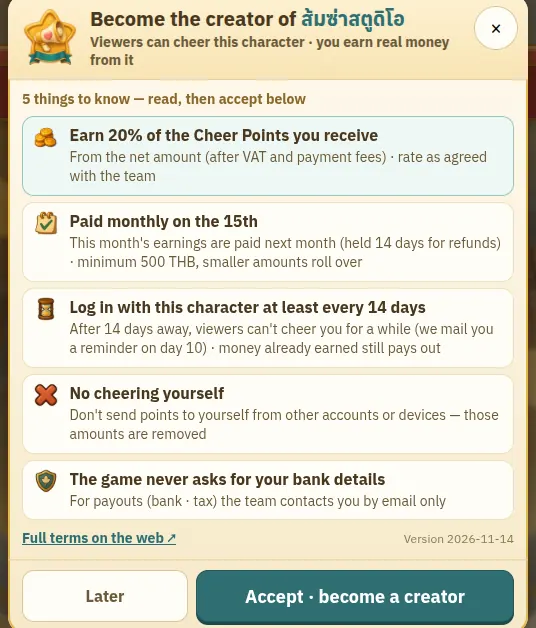
Players who buy Gems on the web get bonus Cheer Points — 1 point per 1 THB — and give them to the creator they love. Their names pop up on your screen while you stream, and you earn 20% of the net amount.
20%
Based on the net value of what players actually paid
e.g.฿186.88
Net ฿934.38 × 20% · see how it’s worked out below
Names on screen
A LIVE aura · cheer banners · fans following you as a crew · pranks if you opt in
Coming soon · Every image is from the real game on a test server; character and channel names are made up · we will confirm the Cheer launch date with participating creators
 A player buys Gems on the webFull Gems + 1 Cheer Points per THB
 They give the points to youWhile you are live, or any time
 Their name hits your screen + world chatThank them live, right away
 You earn 20% of the netMonth-end cut-off · paid on the 15th
What players see
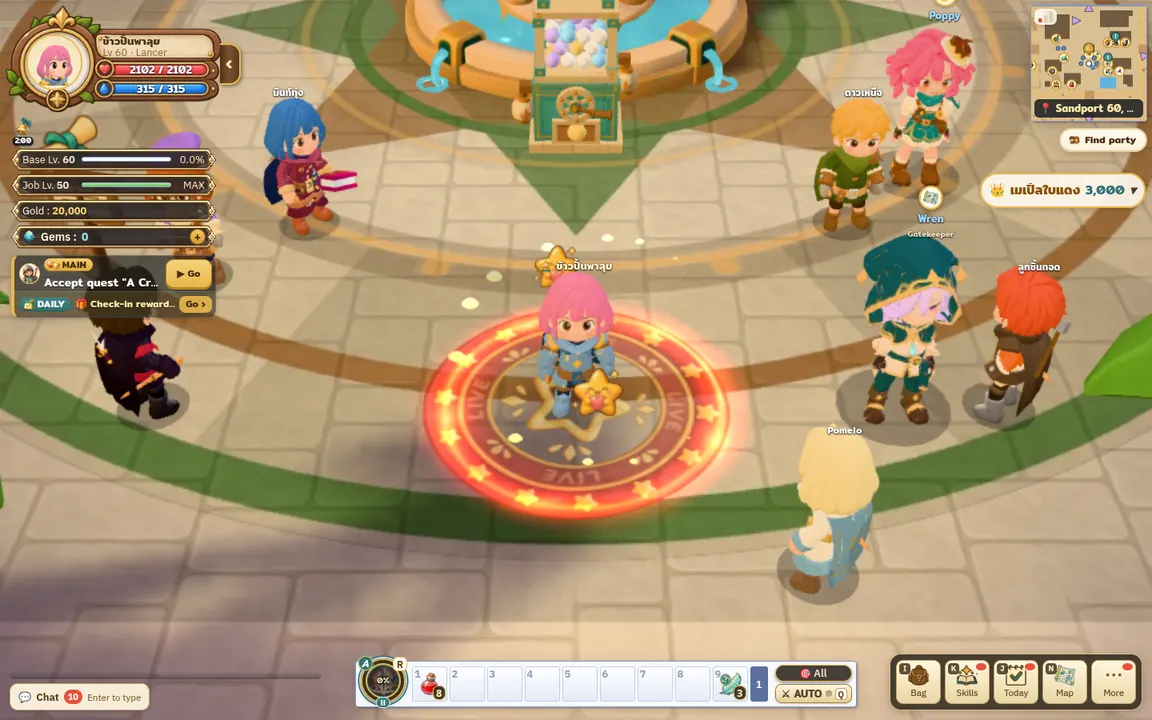
Every step is a real game screenshot (1440 px desktop) — phones show the same in landscape.
When you switch on stream mode, every player level 10+ sees a red chip top-right with your name · up to 10 creators, ordered by stream start time and rotated so everyone gets a turn first — never ranked by cheers, so small channels show up too.
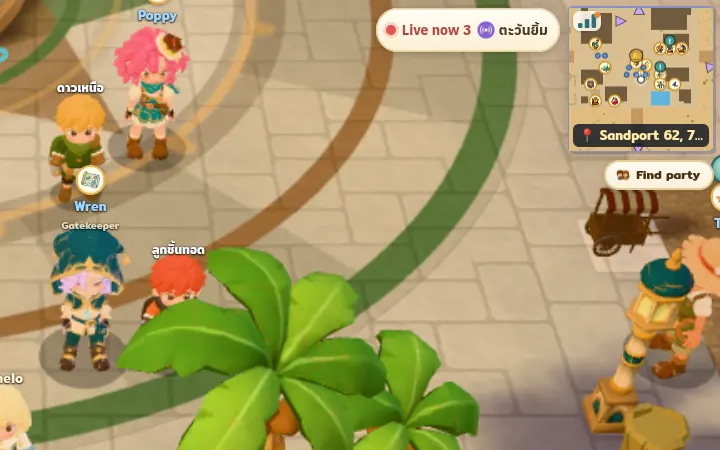 Sample
Players see your character, name and main channel tag, with a “Cheer” button right there.
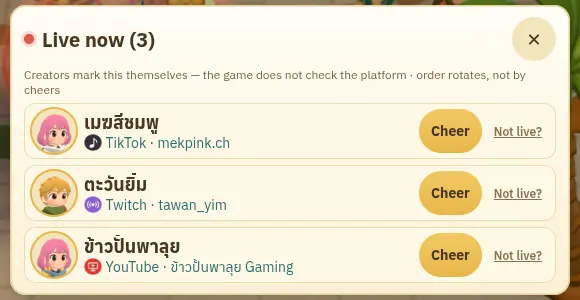 Sample
Your character stands on a stage in the outfit you actually wear. Under your name are channel tags (YouTube · TikTok · Facebook · Twitch etc., up to 3) so players know where to watch you · tags are text only, with no link out of the game · the team verifies each channel is really yours before it shows · the stage also has a Follow button so fans can join your crew (step 9).


 Platform tags drawn by Toonda, not the platforms’ logos
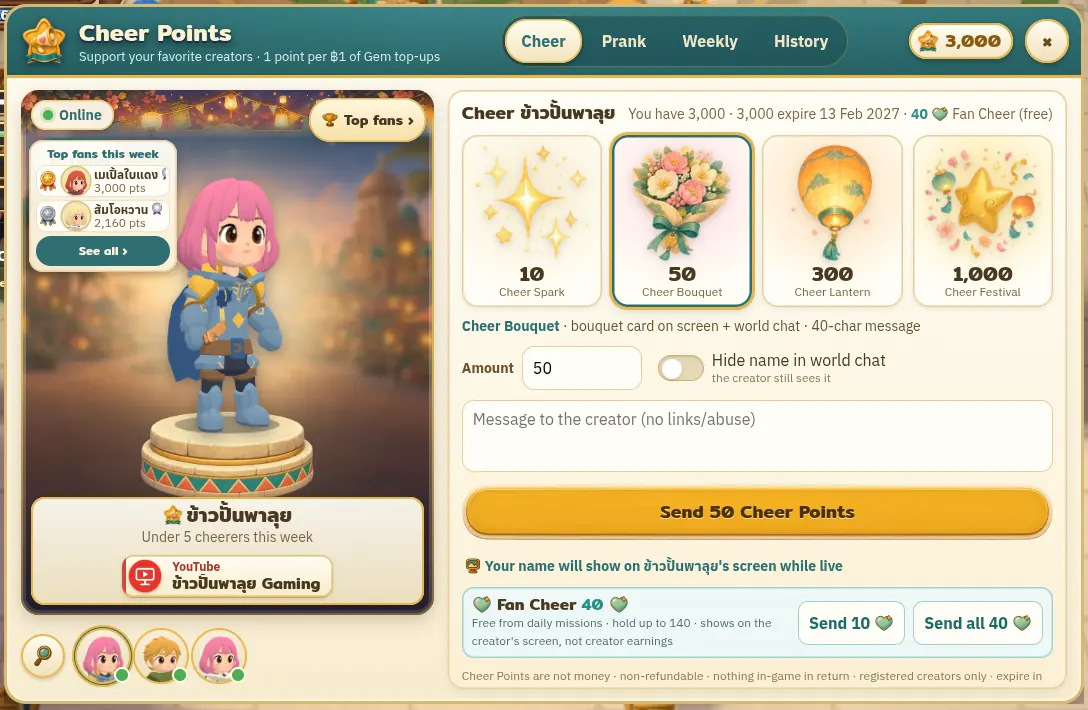 SampleCheer Spark1+ ptsno messageCheer Bouquet50+ pts40-character messageCheer Lantern300+ pts80-character messageCheer Festival1,000+ pts120-character message
The tier depends only on the amount · messages pass the profanity filter and cannot contain links or contact details · players can tick “hide my name” to appear as “A player”.
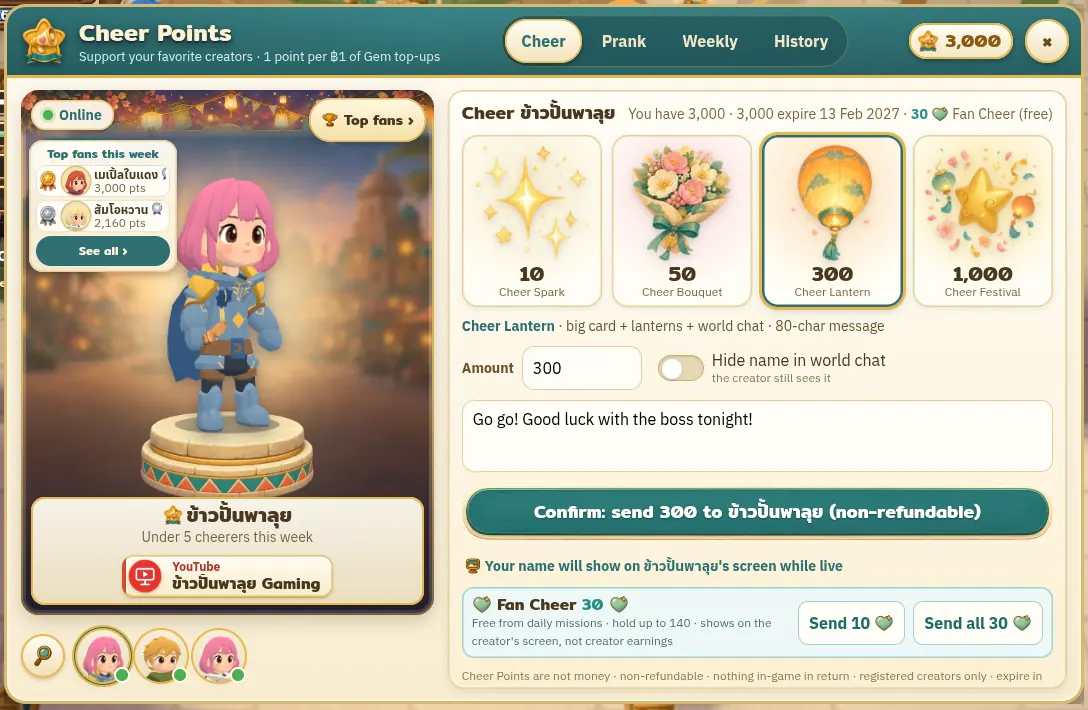 Sample
The giver sees a celebration for the tier · from Cheer Bouquet (50+) up it is announced in world chat for the whole server · Cheer Festival also shows the attached message in world chat · when lots of people cheer at once the lines are merged so chat doesn’t flood.
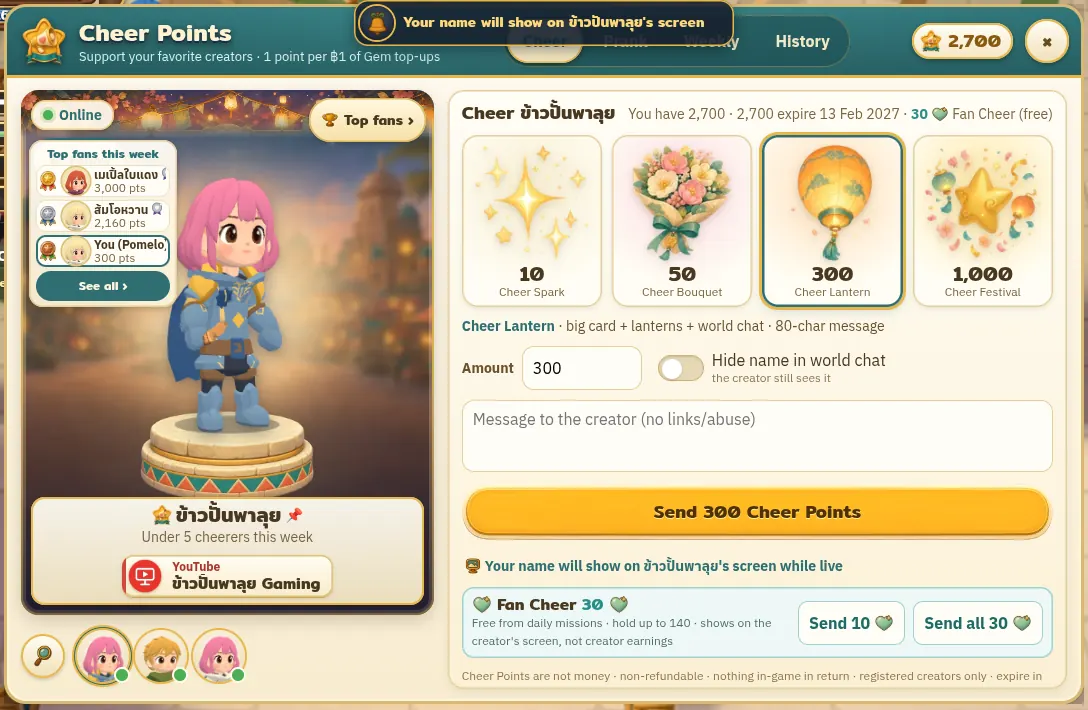 Sample
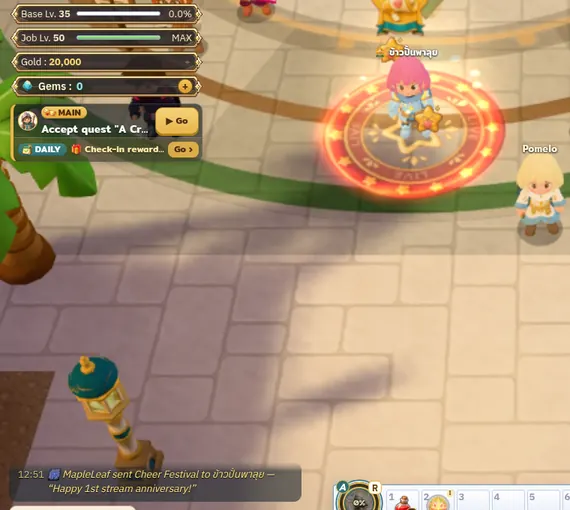 Sample
 — free players can cheer too
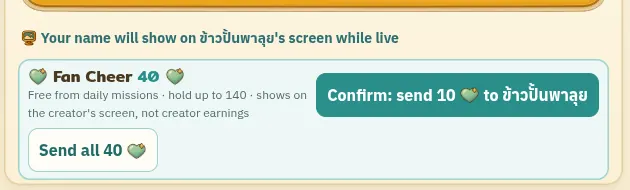
Players earn free Fan Cheer ♡: +10 ♡ for finishing their daily missions and +10 ♡ for following a live creator’s crew for 15 minutes (holds up to 140 ♡) · they tap “Send 10” or “Send all” under the cheer tiers · the fan’s name shows on your stream screen like any cheer, and they count as a cheerer in the weekly ranking.
Fan Cheer ♡ is not money and is not part of your share — your share comes only from Cheer Points players paid for · it can’t be exchanged for Gems, Gold or items.
 Sample
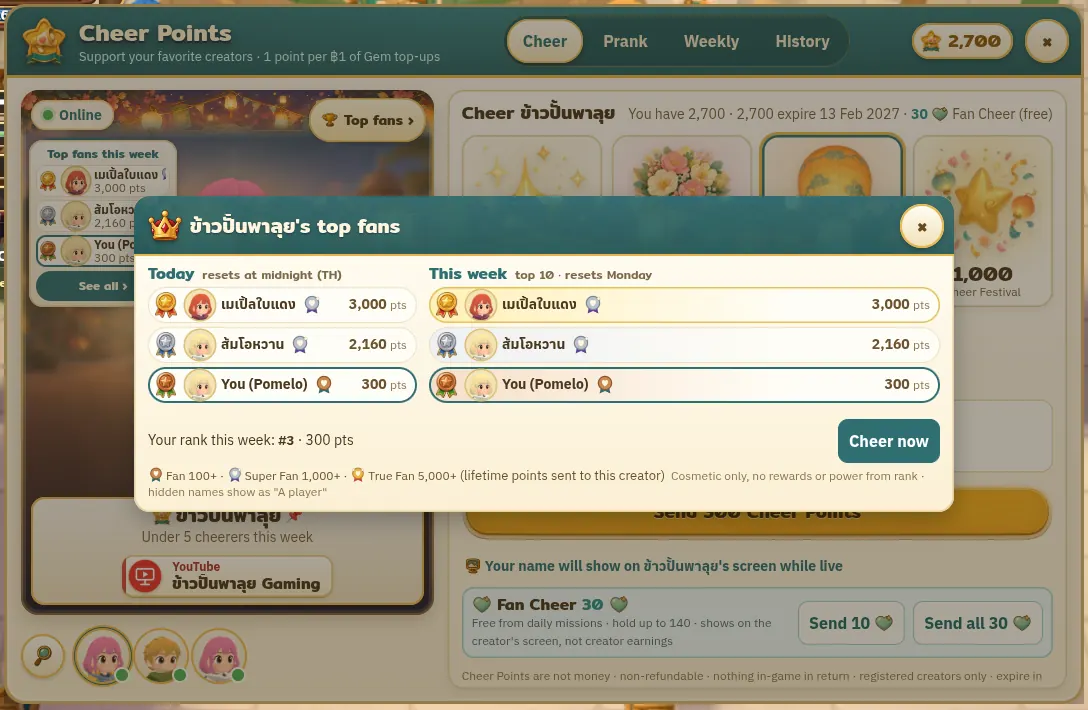
Every creator has a fan board: today’s top 3 and this week’s top 10 (resets every Monday) + the player’s own rank · fans who have given you 100 = “Fan” · 1,000 = “Super Fan” · 5,000 = “True Fan” get a badge on the board · all cosmetic, with no power or in-game reward.
 Sample
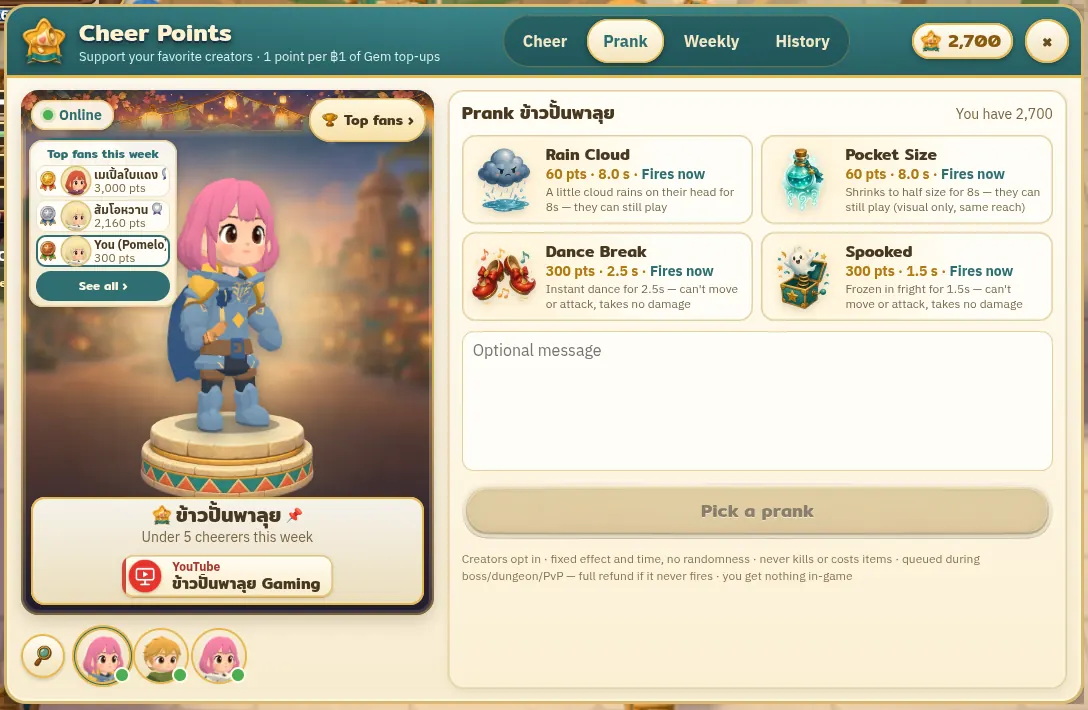
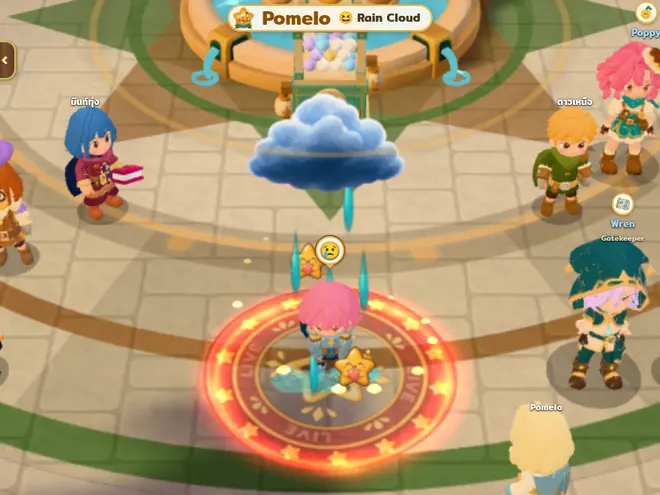
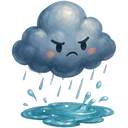 Rain Cloud60 ptsA little cloud rains on their head for 8s — they can still play
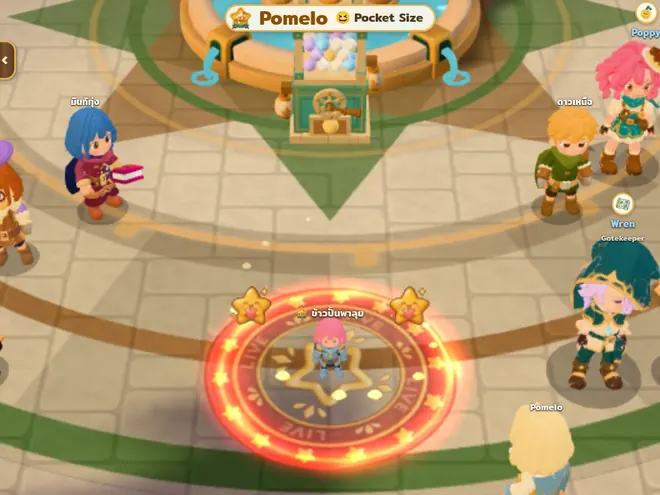
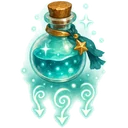 Pocket Size60 ptsShrinks to half size for 8s — they can still play (visual only, same reach)
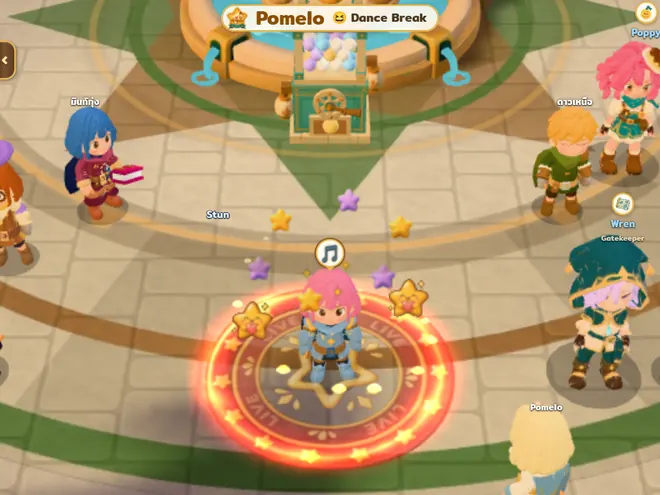
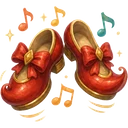 Dance Break300 ptsInstant dance for 2.5s — can't move or attack, takes no damage
 Spooked300 ptsFrozen in fright for 1.5s — can't move or attack, takes no damage
Off by default — you opt in to each prank type yourself and can pause any time · no death, no EXP loss, no item loss, and no damage taken while pranked · the ones that stop you moving can hit at most once every 3 minutes · during a boss, dungeon or PvP the prank waits in a queue, and if it hasn’t fired within 10 minutes the player gets a full refund · points spent on pranks count as a cheer for you.
 Sample
 Follow the creator’s crew
Fans tap Follow on your stage and their character walks after you around the map — no party needed · while you walk the crew lines up two by two without overlapping · stop for ~2 s and they curl into a half-circle behind you · up to 40 per crew · you can turn followers off in Channel Settings · followers get the usual EXP and drops.
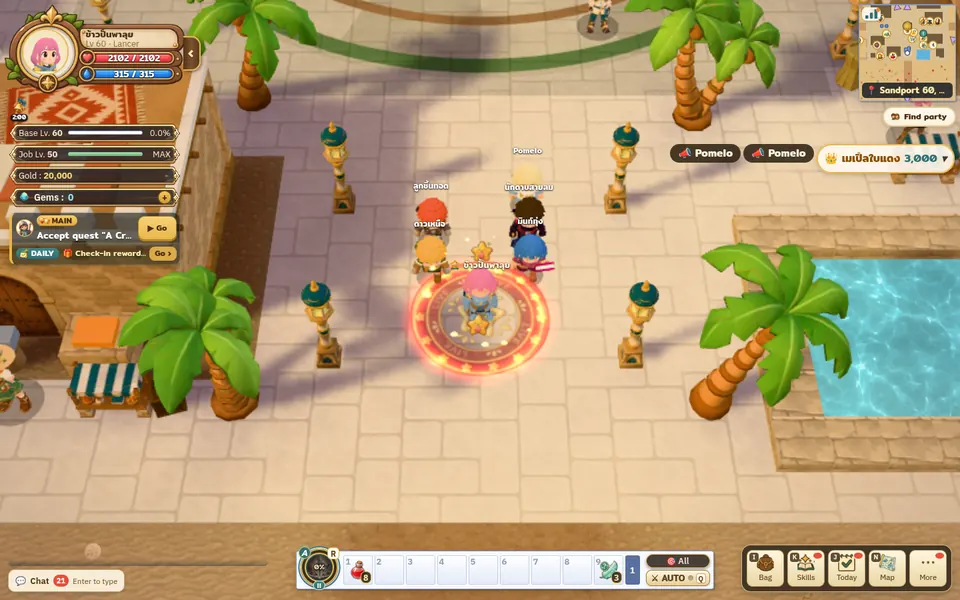 Sample
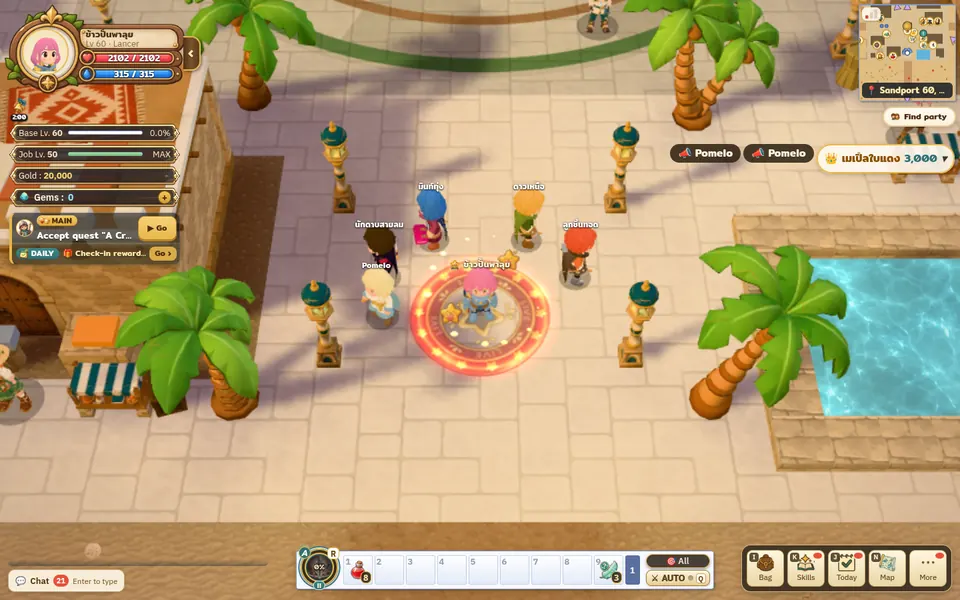 Sample
Your side
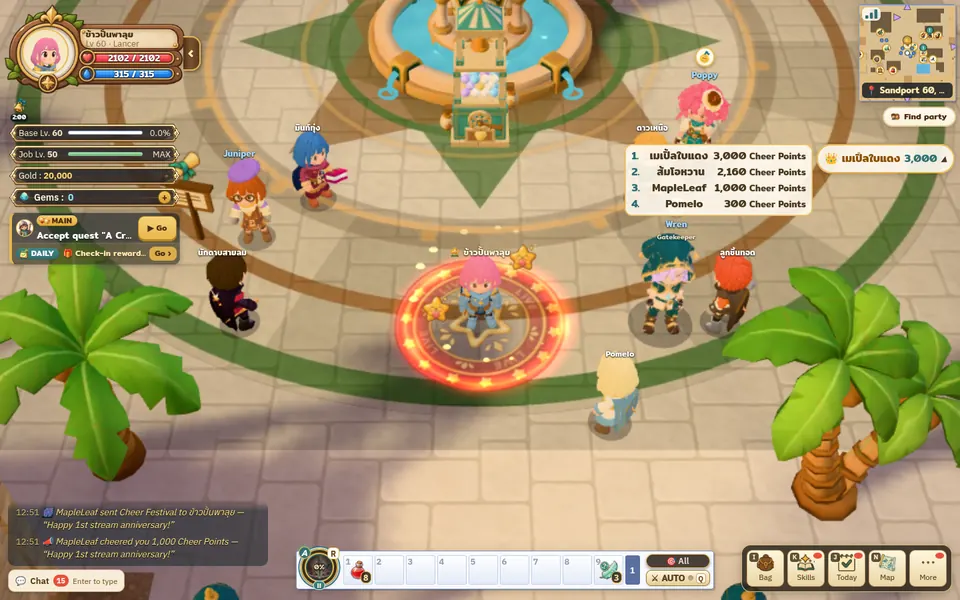
Only your screen, in stream mode, shows these — other players don’t · the screen shows points and tiers only, never baht.
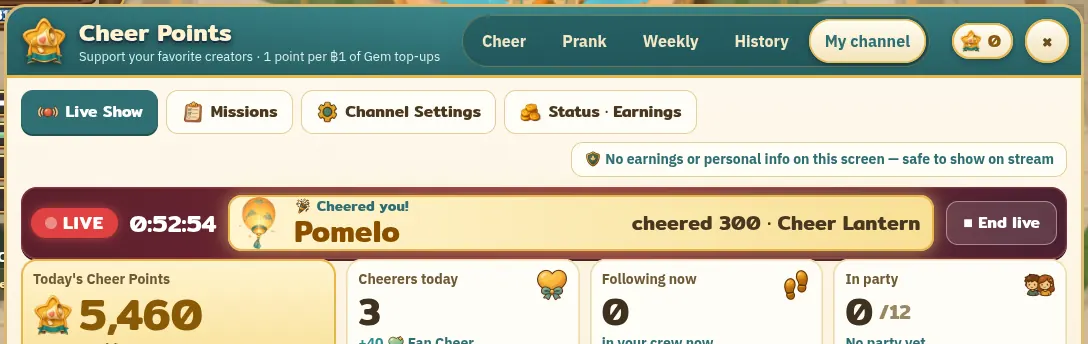 Sample
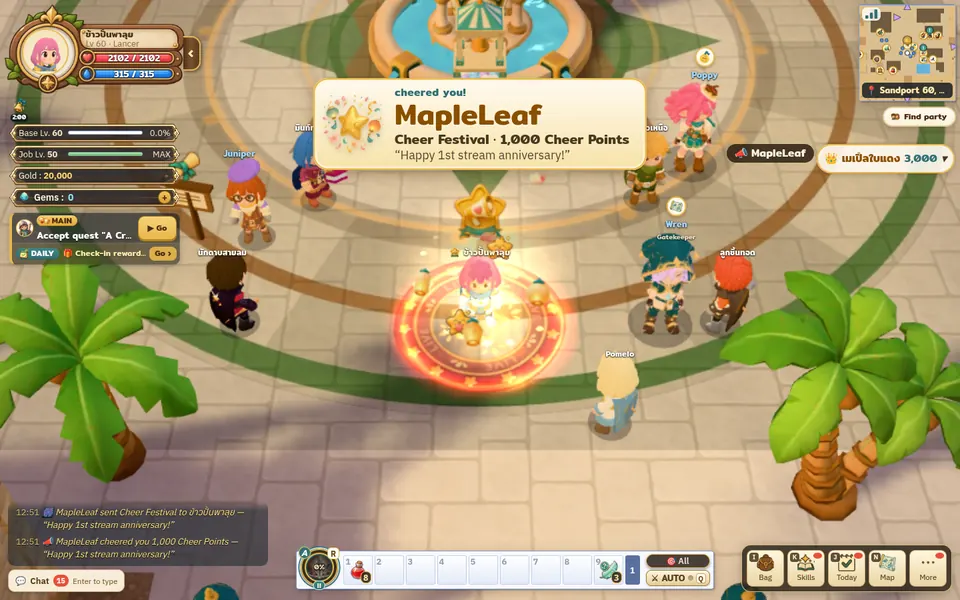 Sample
 Sample
 Sample
Rain Cloud
 Sample
Pocket Size
 Sample
Dance Break
In a fight the banner shrinks to a thin one-line bar (~3 s) and the big banner follows when you’re free · small tiers are always the thin bar · “Quiet mode” for up to 120 minutes (you still receive points, shown as chat lines) · set banner size small/medium/large and use “Test banner” before you go live.
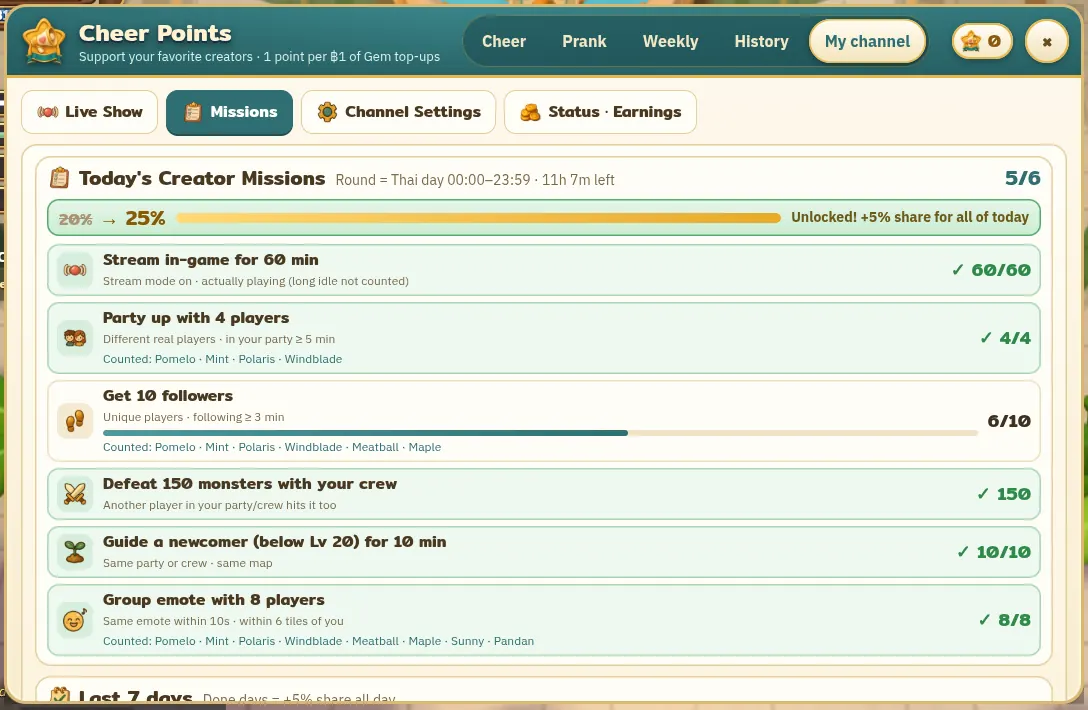
Daily creator missions
 Finish 5 of 6 = +5% share for the whole day
The Missions tab in My channel has 6 missions every day. Finish 5 and your share for that day goes up by 5% (e.g. 20% → 25%) for the whole Thai calendar day, 00:00–23:59, on both Cheer Points and invite-link top-ups · it resets daily, no streaks.
 Stream in-game for 60 min
 Party up with 4 players (≥ 5 min)Get 10 followers (≥ 3 min each)
 Defeat 150 monsters with your crew
 Guide a newcomer (below Lv 20) for 10 min
 Group emote with 8 players
Only different real players count (separate account/device), level 10+, account at least 3 days old (the newcomer mission skips the level and age rule) · one player can count toward at most 2 creators a day · stream time only counts while you’re actually playing, not idling.
 Sample
The game is not connected to streaming platforms — please use stream mode only while actually live. Players can tap “Not live?”; after 3 reports the chip is hidden until the team checks.
 Sample
Don’t promise cash or in-game items in exchange for cheers · call it “cheering”, not donating · tell viewers you earn a share from Cheer Points, following your platform’s rules.
Money and payouts
Every number here comes from the values the system actually uses.
Example: a fan tops up ฿1,000 (bank slip) and gives you all 1,000 points Sample
Other payment methods deduct that method’s actual fee (e.g. cards via Stripe ฿10 + 3.65%) · rounding as the system does it · the sales-tax base is pending confirmation from our accountant.
You can switch modes; changes apply from the next month · total shares on any one top-up never exceed 20% of net — if that fan joined through another creator’s link, the invite share on that top-up is counted first and the cheer share gets whatever is left of the 20% · the /aff step and live-day bonuses apply in every mode.
An account-bound bonus that comes with a Gem purchase (players still get all their Gems) · can’t be transferred, sold, or exchanged for Gems, Gold, items or money · the only use is giving them to a creator · they expire after 90 days · givers receive nothing in-game in return.
At first, web top-ups only (play.toondaonline.com) · purchases inside the Android/iPhone apps don’t give points yet, and the cheer window isn’t available in the apps.
Points from a refunded purchase are taken back and cheers made with them stop counting for you · if that period was already paid, it is deducted from the next one.
Your own account or device can’t give to you · cheers from the same network are flagged for review · don’t top up on your own or a household account and cheer yourself.
If your creator character doesn’t log in for more than 14 days in a row, your in-game creator status expires automatically — players can no longer cheer you and you leave the creator list. · Earnings from before it expired are still paid on the normal schedule. · To reactivate, contact the team.
Points received (today · week · month · all time) and the number of cheerers are in the game’s “My channel” tab · the money for each month is on the monthly statement from the team.
Withholding tax and payout documents follow the signed agreement.
Your stream screen and fan board show character names and points only — no baht, no account details · hidden givers appear as “A player” (only you see their name in your own list).
This page is for information. The binding terms are those in the signed agreement, and actual payouts follow the monthly statement.
FAQ
Anywhere — YouTube, TikTok, Facebook, Twitch or others · you can list up to 3 channels on your stage.
Points can be given to you any time, but the “Live now” chip needs your character online with stream mode on, and fan banners appear on your game screen — so streaming while you play works best.
Open play.toondaonline.com in a browser — no download · if you’re on the invite-link plan (/aff), share your link · the live chip shows from level 10, and the cheer window opens from the menu any time.
Yes, with free Fan Cheer ♡ from daily missions and following a crew — their name shows on your stream screen too, but it isn’t earnings · Cheer Points (which carry your share) only come from buying Gems · everyone can see the live chip, the aura, your stage, the fan board, join your crew and see world-chat announcements.
1 point is enough (Cheer Spark) · up to 10,000 points per cheer, 6 cheers a minute and 60 a day (anti-spam).
Your stream screen, the fan board and world chat (from Bouquet up) · givers can hide their name and appear as “A player” · players can turn the cheer announcements off in their own chat settings.
They pass the profanity filter and can’t contain links or contact details · you can turn messages off (and still receive points) · the team can hide messages and suspend accounts that break the rules.
Do nothing — it’s off by default · enable only the types you like, and pause for 30 minutes any time.
Only your character’s name and look and the channel names you add — no earnings, no contact details.
The Toonda server opens on Nov 22, 2026 at 1:30 PM (Thai time) · Cheer is getting ready to launch, and we’ll confirm the start date directly with participating creators.
*Note: This page describes the planned Cheer program, which is still being prepared. The revenue share, example calculation, taxes, fees, payout schedule and launch date may change according to the signed agreement, team announcements, and the rules of payment providers or applicable law. We will notify you before any change takes effect.